VERSION 0.2.4 RELEASED MAY 15, 2024
Changelog 0.2.4
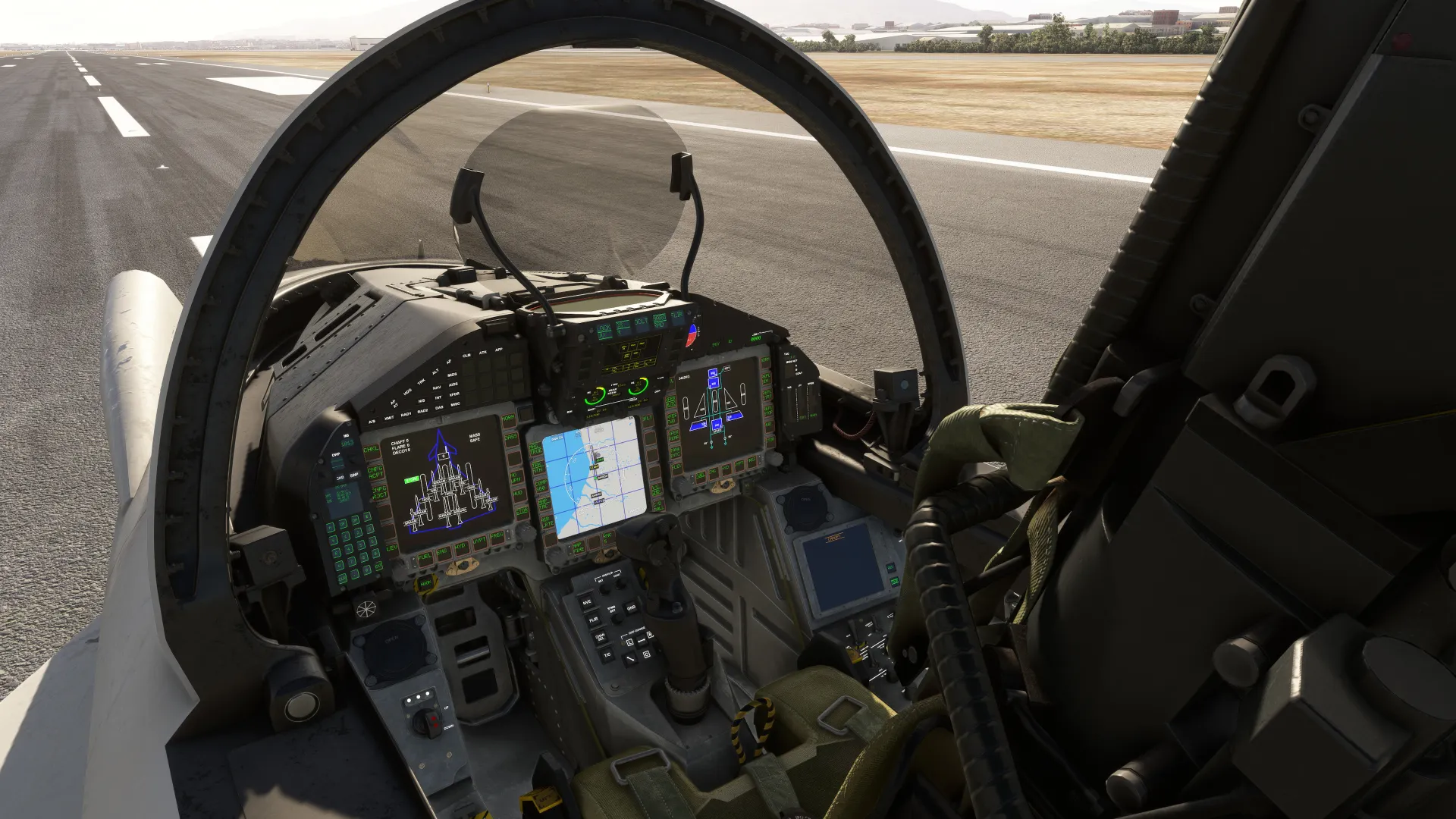
Visually enhanced all cockpit buttons (especially the MDE which previously lacked buttons). Added animations and sounds to all buttons.
Redesigned the main frames of the MHDD to give them more depth, similar to the real model.
Reviewed shaders for many components.
Increased the geometry detail of the HUD glass.
Revised ambient occlusion effects for some textures.
Completely redesigned the exhaust system, modifying the visual effects of the afterburners as a result.
Corrected the rudder animation.
Blended lines and rivets with the base color of the fuselage.
General revision of the PBR textures for the entire model.
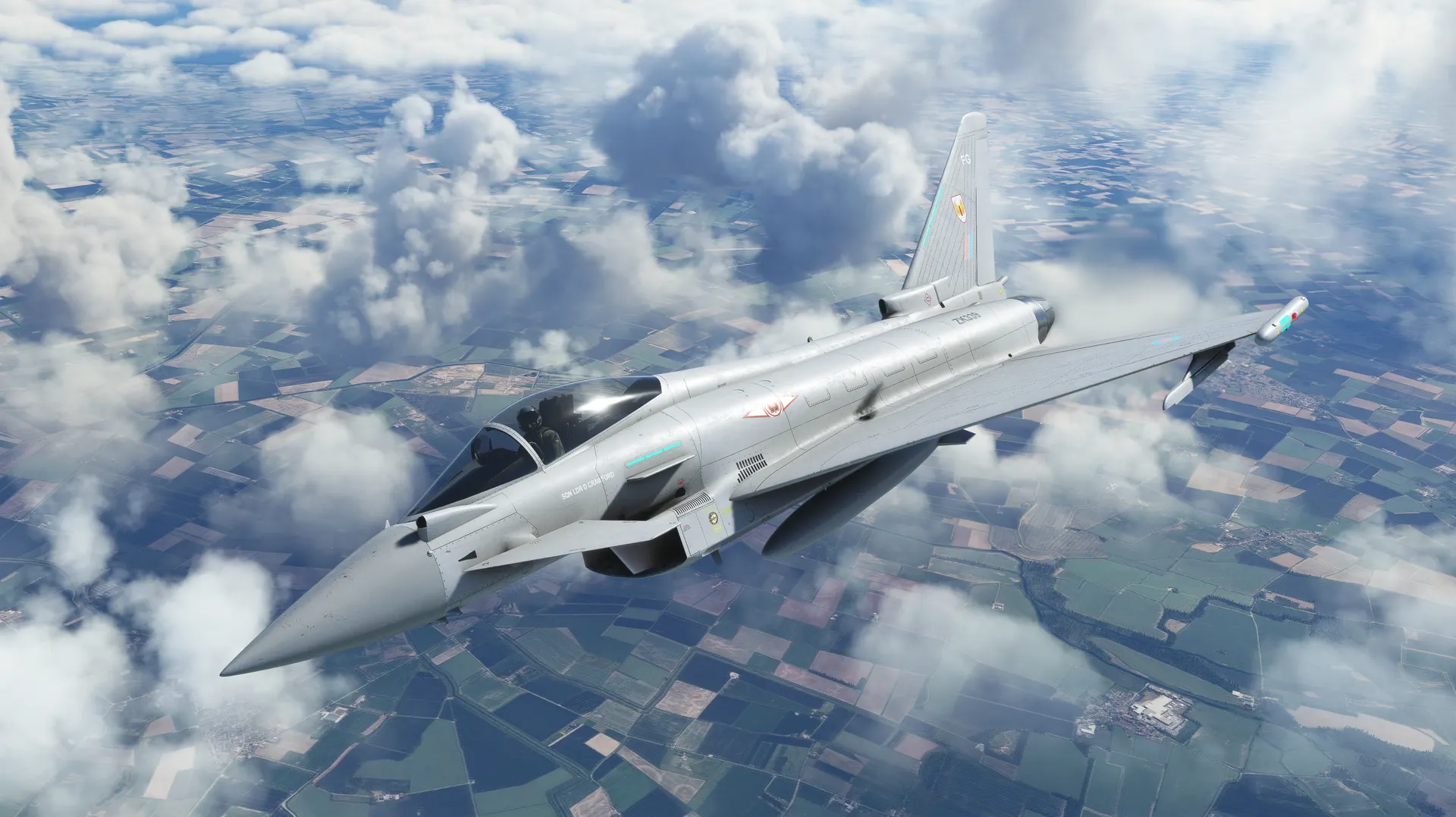
- Added the ZJ913 - Typhoon 2024 Display livery.
- Corrected the Italian Air Force 37 Stormo livery (thanks to Mario Iocca).
- HUD: Refined the algorithm for horizon projection based on altitude.
- Html corrections overall.
VERSION 0.2.6 RELEASED JUNE 1, 2024
Changelog 0.2.6:
- Compatibility for users with gamepads has been improved when interacting with the MHDD and MDE buttons. The code has been enhanced to allow these buttons to be pressed in cursor select mode (previously, this was only possible outside of this mode). However, all users are reminded that to avoid compatibility issues, they should access the accessibility options, go to the "cockpit interaction system," and ensure the selected mode is "LOCK" and not "LEGACY."
- HMD:
- Dual mode is enabled in the MDE on the MISC page to modify the HMD functionality. In HUD mode, the HMD will no longer be visible when the camera intersects with the HUD or consoles (realistic behavior). In ON mode, the HMD will be visible under all conditions. However, the brightness of both the HUD and HMD still needs to be manually adjusted using their respective knobs or wheels.
- Adjustments are made to the HMD resolution to enhance VR compatibility.
VERSION 0.2.7 RELEASED JANUARY 1, 0
Changelog 0.2.7:
VERSION 0.3.0 RELEASED JUNE 15, 2025
To celebrate the upcoming third anniversary of the product's release, and to thank you for the continued trust in CJSimulations, we’re pleased to announce a new update featuring a fully redesigned cockpit, with improved geometry and textures that better reflect the real aircraft and meet modern standards. This update is completely free and has been verified for full compatibility with MSFS 2020 and MSFS 2024.
Visual Improvements:
- Complete redesign of the cockpit geometry based on publicly available reference photos.
- Full overhaul of cockpit textures.
- Reworked buttons and conversion of fonts to LED-style typography.
- Replacement and reconfiguration of switches, with functionalities aligned with the real-life manual.
- Addition of the reversionary gauges panel.
- Remodel of the rear canopy section.
- Implementation and integration of the attention getters system in conjunction with the DWP.
- Various animation corrections and synchronization adjustments.
Functional Improvements:
- Startup system rework: The entire engine startup sequence has been redesigned, now integrating GBOX buttons, the AIRDRIVE switch (EMGY, AUTO, OFF modes), and LCOCK switches.
- The previously included LENG FUEL and RENG FUEL switches (not part of the real aircraft) have been removed, and their logic is now handled through LCOCK.
- The entire COLD & DARK checklist has been updated accordingly.
Complete lighting system redesign:
- Functional reversionary lighting.
- Implementation of NIGHT, DAY, and A FLASH modes to control brightness levels.
- Dedicated lighting knobs now adjust brightness for consoles, glareshield, screens, and independent instruments.
- Correction of ambient lighting behavior provided by the floodlight knobs.
- Revision of external lighting systems.
MDE:
- VAL INCR and VAL DCRS buttons now support hold-to-repeat functionality, allowing continuous value changes while the button is held.
- Fixed an issue where event listeners were stacking after switching between pages, ensuring proper cleanup to avoid unintended input behavior.
- This functionality mainly affects AP, autothrottle, and GPWS controls (please note these are not bindable as they are not simulator events).
MHDD:
- The Stores page now supports touch functionality, allowing direct selection of payloads by clicking on them (this includes external fuel tanks as well as weapon payloads).
Flight Model:
- Control sensitivity near the center has been softened to reduce general twitchiness and allow smoother inputs.
- This also improves autopilot performance and fly-by-wire stability without compromising manual flight control precision.
- Both parasitic drag and induced drag have been reviewed, as in previous versions the aircraft barely lost speed in level flight with engines at idle. Additionally, drag from control surfaces has been adjusted to reflect a more realistic behavior.
External Model:
While a complete external model overhaul is reserved for a future phase, the following fixes have been made:
- Nose gear suspension corrected: Previously rigid and without visible movement, the nose gear has now been updated with proper damping and animation.
- Minor geometry flaws fixed and general mesh smoothing applied.
VERSION 0.3.1 RELEASED AUGUST 30, 2025
Changelog 0.3.1
Internal model:
- Pilot replacement: Since the use of the stock pilot was causing some annoying glitches (e.g., the right leg appearing above the dashboard or even outside the fuselage), the pilot has been replaced with a bespoke one (independent meshes and textures).
- Rudder pedal animations fixed: In the previous update they were inverted.
MDE fixes:
- Strings: To conform to the LED-matrix format, any strings exceeding the 4-character limit across various MDE pages have been revised.
- CLM modes (VS and FPA): VS and FPA inputs are now entered as absolute values (positive values from 0 to 9000). The autopilot will treat the value as positive when the target altitude is higher than the current altitude, and negative otherwise.
Autopilot fixes:
- Transition from CLM (AUTO, VS, or FPA) to ALT HOLD: While in CLM, the system will automatically transition to ALT HOLD once the current altitude reaches the target altitude.
- Max bank during autopilot: The maximum bank that the AP can perform has been limited, between a minimum of 20 degrees and a maximum of 30 depending on airspeed, after detecting that the aircraft tended to lose altitude during the use of lateral modes (HDG, TRK).
External model:
- Fuselage mesh corrections: Numerous defects in the fuselage mesh have been corrected. As a result, every livery texture in the package had to be redone (50 in total).
- Livery set refreshed: Fictional or low-value liveries have been removed in favor of new liveries organized by country, focusing on aircraft in active service for each nation and special display liveries.
- Chocks and fuselage covers restored: Since the fictitious switches that toggled them were removed during the cockpit overhaul, these items will now only be visible when both engines and the aircraft’s electrical system are fully powered down.
MSFS2024:
Ambient Oclussion corrections: The ambient occlusion parameters of the cockpit textures have been revised, as it was detected that in MSFS2024 the cockpit looked much darker than in MSFS2020.
Known Issues: Due to Asobo's adjustments to the EFB during SU3, there is a general issue affecting all aircrafts not using avionics based on the new v2 API. Consequently, VFR or IFR flight plans created from the EFB are not guaranteed to reach the avionics in full. While Asobo works to develop a solution, the use of the HDD is recommended for creating and managing flight plans.
VERSION 0.3.2 RELEASED SEPTEMBER 14, 2025
Changelog 0.3.2
Livery fixes:
- Fixed livery texture: Royal Air Force, Display 2024 (aka "Moggy").
MDE:
Autothrottle SPD modes - fixes:
The four SPD modes are mapped to the AP page buttons for quick access (SPD HOLD, SPD SEL, SPD AWLS, and SPD SCRS).
Interaction behavior fixed:
a) By default, SPD HOLD updates the SPD SEL target (DAS/DMA).
b) Only SPD SEL allows DAS or DMA to be adjusted manually with VAL INCR/DCRS Buttons.
c) AWLS and SCRS are automatic modes that autonomously adjust DAS/DMA.
COVERS & CHOCKS:
The visibility logic for covers and chocks has been rewritten for multiplayer compatibility after identifying some issues.
They are now visible only when all of the following are true:
The aircraft is on ground,
Both engines show no combustion, and
Both engines report 0 RPM.
In short: they only appear when the engines are fully shut down on the ground.
VERSION 0.3.3 RELEASED JANUARY 15, 2026
Changelog 0.3.3
The following improvements and fixes have been implemented for the map in PA mode:
Correction of MAP/TAC modes: selecting MAP shows or hides the map on screen, while TAC enables traffic visualization. Pressing this button multiple times cycles through MAP, TAC, MAP+TAC and OFF modes. In HSI mode, MAP and TAC are directly set to OFF.
Expansion of AIR INFO functions:
LRTE -> Displays element labels as well as controlled airspaces.
HRTE -> Displays airspaces and airways. Labels of common elements are hidden to avoid map clutter.
LINF -> Displays a reduced set of information from the previous modes, hiding airways and labels while keeping most elements visible.
OFF -> Hides all visual elements.
Improvements to TACT modes (requires TAC enabled):
MIN -> Displays altitude of each detected aircraft.
NORM -> Displays altitude and distance of each detected aircraft.
MAX -> Displays altitude, distance and bearing of each detected aircraft.
OFF -> Hides traffic information while keeping visual icons.
Additionally, in MSFS 2024 it is possible to display the aircraft name and FLIGHT ID of detected traffic.
Addition of the GRID function: allows hiding the blue grid showing NM range references on the map.
Maximum map range increased to 320 NM.
Improved map color grading: color ranges for FINE, MED and CRSE modes have been adjusted to improve readability and reduce saturation, improving visibility of other elements.
Autopilot:
- Adjustments have been made to the PID controller values in order to:
1.- Fully reduce oscillations detected in HDG and NAV modes, both at low and high altitude and at any airspeed (this does not mean oscillations cannot occur in specific situations, but the PID controller now reacts more smoothly to eliminate them).
2.- Reduce overshooting when the PID controller corrects errors, especially in ALT HOLD and CLIMB modes.
3.- Improve lateral accuracy when following the glideslope in APP mode.
- AWLS behavior has been improved so that speed reduction is progressive as distance to runway decreases.
FBW and flight model:
- Adjustments have been made to eliminate aircraft drift when releasing the stick.
MSFS 2024 specific fixes:
Contrails:
Effect templates have been replaced after detecting they were not working correctly in MSFS 2024.
EFB:
An EFB SYNC system has been added, capable of detecting a complete flight plan in the EFB and importing it into the avionics when using the SEND TO AVIONICS option.
This option is mandatory, as the other options only send incomplete flight plans without procedures.
VERSION 0.3.4 RELEASED JANUARY 26, 2026
Changelog 0.3.4
This is a small hotfix to correct the positioning of some UI elements on the screens after changing the text font in 0.3.3.
VERSION 0.3.5 RELEASED MARCH 4, 2026
Changelog 0.3.5
MDE: Fixed an issue where VAL INCR / VAL DCRS inputs could remain stuck, causing continuous value changes.
VERSION 0.3.6 RELEASED MAY 1, 2026
Changelog 0.3.6
Compatibility with the MSFS2024 EFB has been improved after detecting that in previous versions, using SEND TO AVIONICS AND ATC could even crash the simulator when our avionics attempted to receive a flight plan.
The code has been reviewed to cover all possible scenarios and prevent adverse effects:
SEND TO AVIONICS AND ATC: Sends the route to both ATC and the avionics.
(This is the option that should be used from now on, as the flight plan will be synchronized between the simulator and the avionics).
SEND TO ATC: Sends the plan only to ATC. As a result, our avionics will delete any existing flight plan but will not load the new one.
(Not recommended unless you subsequently execute SEND TO AVIONICS).
SEND TO AVIONICS: Sends the flight plan only to the avionics.
(Recommended only if you have previously executed SEND TO ATC, otherwise ATC and avionics will be out of sync).
In any case, it is now recommended to always use SEND TO AVIONICS AND ATC.
VERSION 0.3.7 RELEASED MAY 13, 2026
Changelog 0.3.7
EFB Sync Improvements (MSFS2024):
Revised EFB_Sync logic to allow importing less restrictive .pln flight plans, including VFR routes and flight plans that do not fully comply with ATC routing requirements.
Fixed incorrect altitude constraint scaling when transferring flight plans with SID/Departure procedures from the EFB to the avionics.
Implemented progressive altitude scaling logic from runway elevation up to the climb transition altitude.
MDE Fixes (MSFS2020 & MSFS2024):
Fixed HTML button interaction issues when using a gamepad in cursor mode (RB + L3).
Certain buttons were not correctly registering mouseup events when using a controller, while mouse interaction worked as expected.
Updated event handling logic to improve gamepad compatibility and interaction consistency.
HDD Fixes (MSFS2020 & MSFS2024):
- Fixed an issue where the Home button inside the FPLN menu was not working correctly.
VERSION 0.3.8 RELEASED JUNE 2, 2026
Changelog 0.3.8
General Fixes:
- Review and correction of some animations not working as intended.
- Review of HTML/JS code
- Fixed the strobe switch to three positions (White, Off, Red)
- Sounds revisions.
MSFS2024:
- Added night vision (not operational in MSFS2020):
Night vision can be enabled using the NVG button located at the front of the cockpit,
just behind the control stick. Intensity is adjusted using the NVE BRT knob.