- USD 7.99
- View more offers at FS Addon Compare
- Added: October 22, 2026
- Updated: November 18, 2026
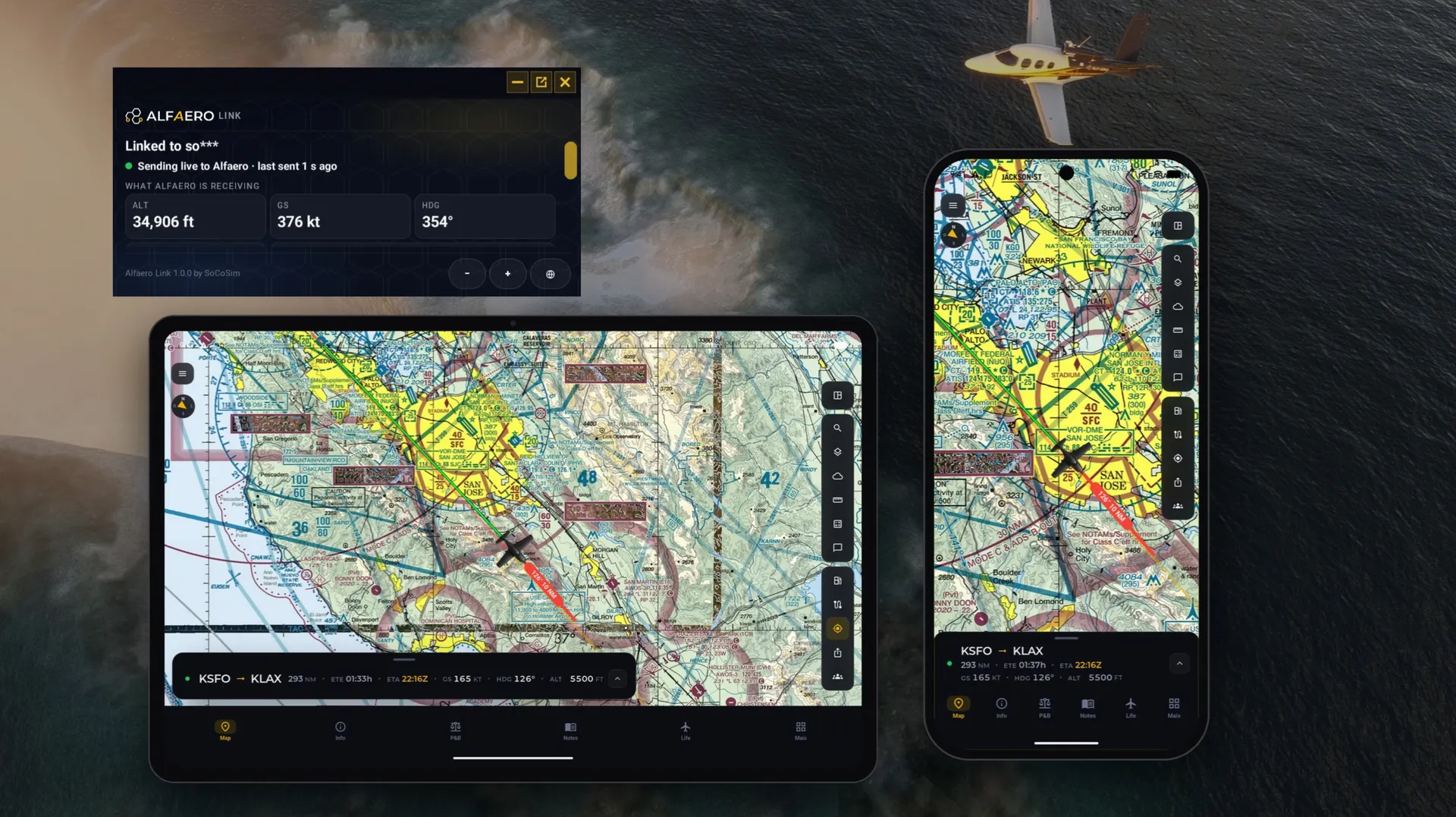
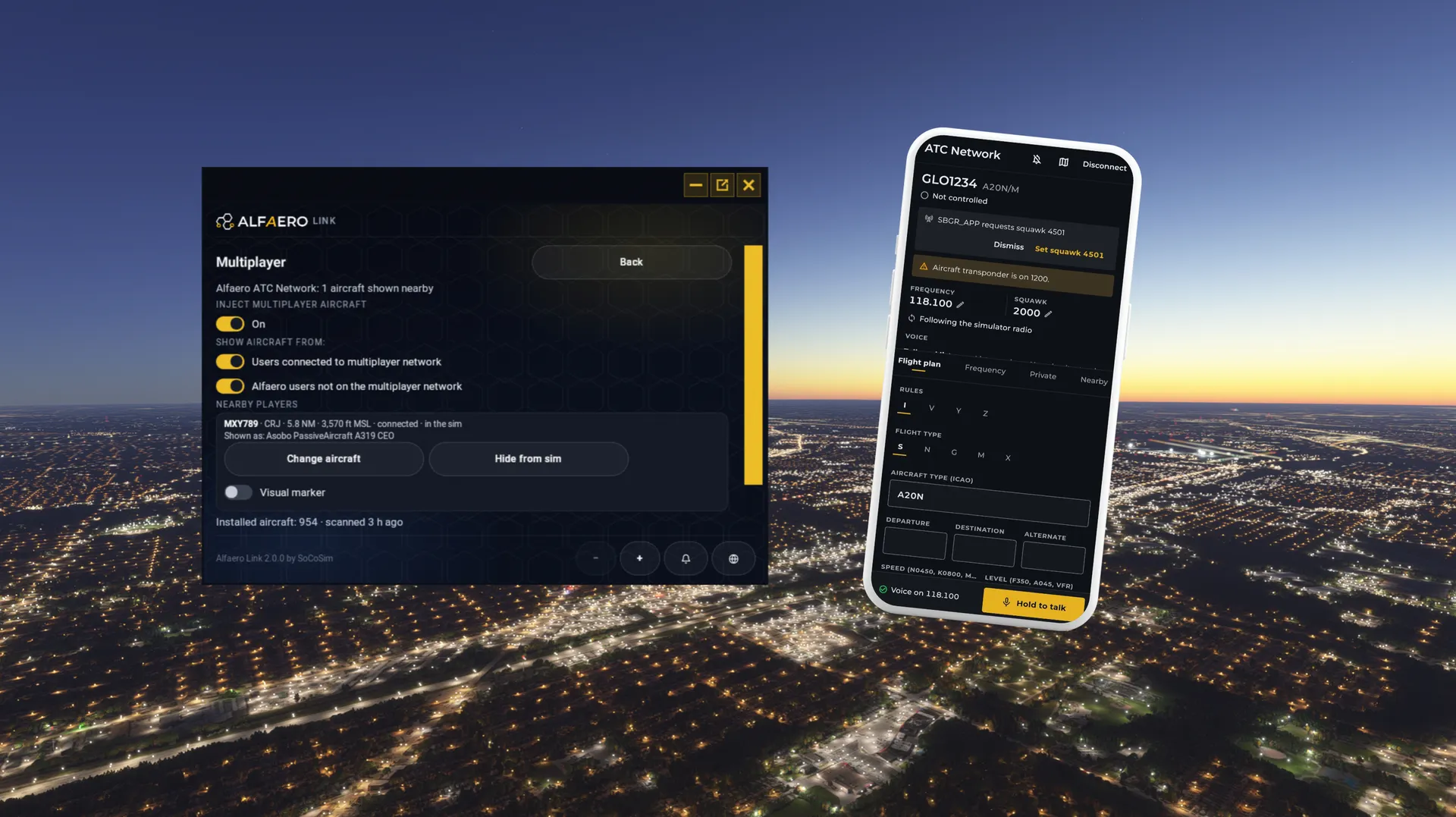
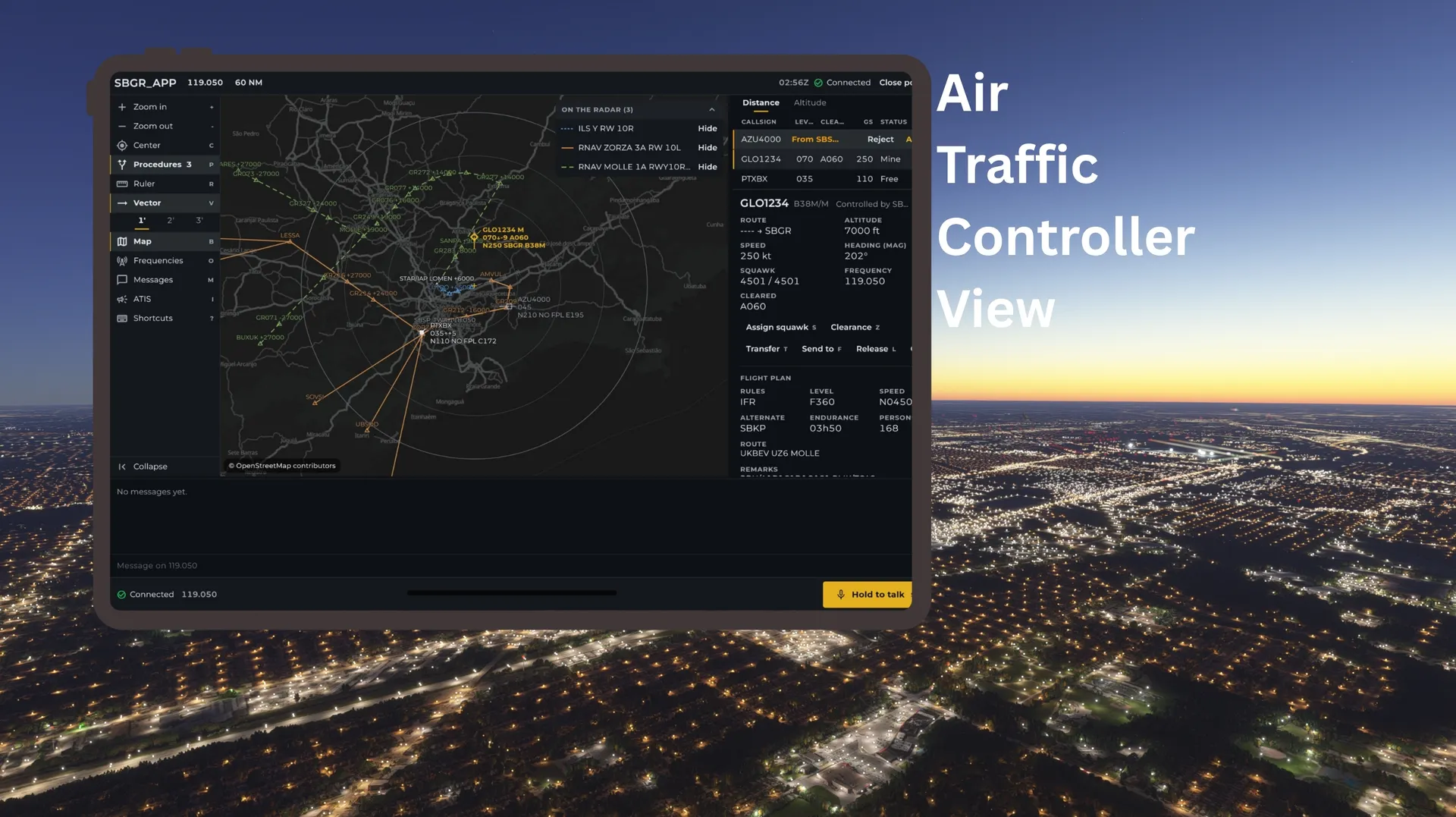
Fly with live traffic and real voice ATC, on Xbox and PC. Alfaero Link connects Microsoft Flight Simulator to the Alfaero EFB app and to the Alfaero ATC Network. Other Alfaero pilots appear as live aircraft in your sim. Community controllers work your flight in real time, by voice or text, from clearance to landing. Your flight also shows up live on your phone or tablet, over real charts. No SimConnect, no PC companion app, no cables.
Until now, who you could fly with depended on your platform, your server region and your simulator version. Alfaero Link removes all three barriers. Every connected pilot, on PC or Xbox, in MSFS 2020 or MSFS 2024, appears in your sky as live traffic on one global network.
One Network. Every Pilot. Every Platform. PC or Xbox. 2020 or 2024. One sky.
LIVE TRAFFIC IN YOUR SIM
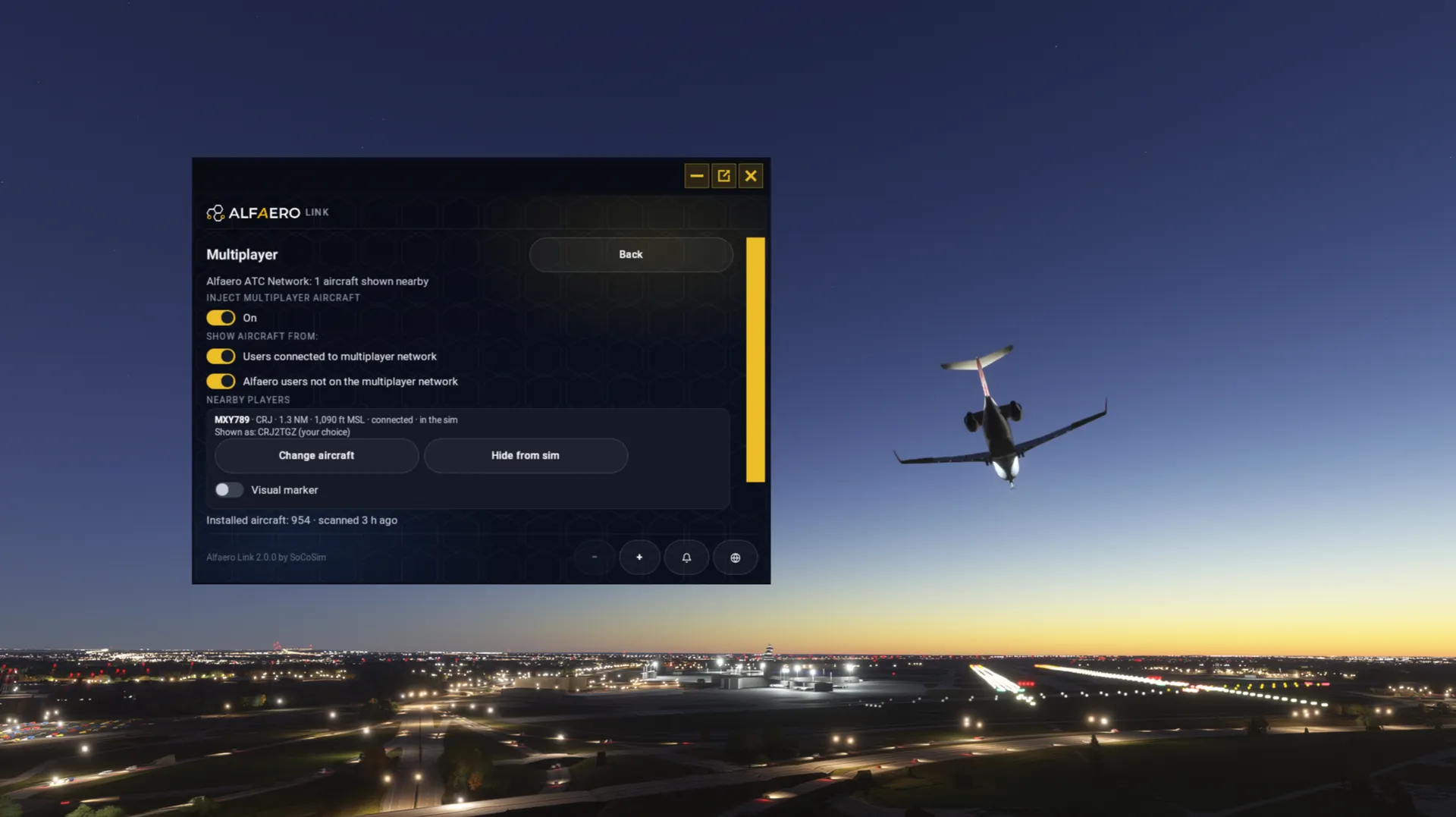
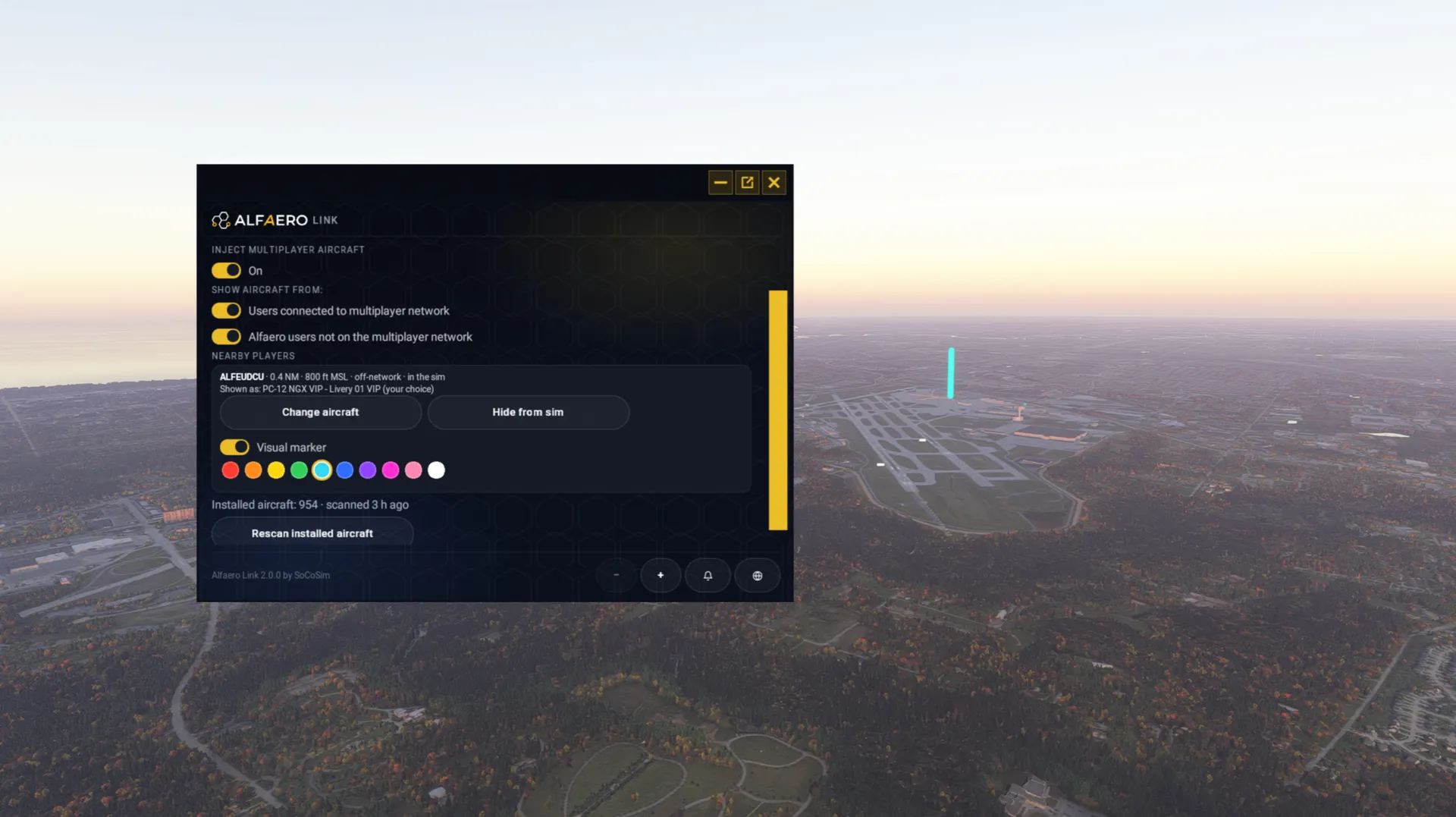
- Other Alfaero pilots appear as aircraft around you, in the air and on the ground
- Movement follows their real flight, with model matching so each aircraft looks like the one its pilot is flying
VOICE ATC IN REAL TIME (BETA)
- Talk to human controllers on tower, approach and center, with push to talk in the Alfaero app on your phone or tablet
- No microphone? Listen and reply by text, or use text only
- Send your flight plan, receive squawk codes and clearances
- The app frequency follows your sim radio: tune COM1 and you are on the right channel
- See which controllers and pilots are nearby
- Want to control? Open a position in the Alfaero app, with radar and procedures Controllers are community members, so coverage depends on who is online. The network is in beta and new features keep coming.
HOW IT WORKS
- Open the Alfaero Link panel from the sim toolbar.
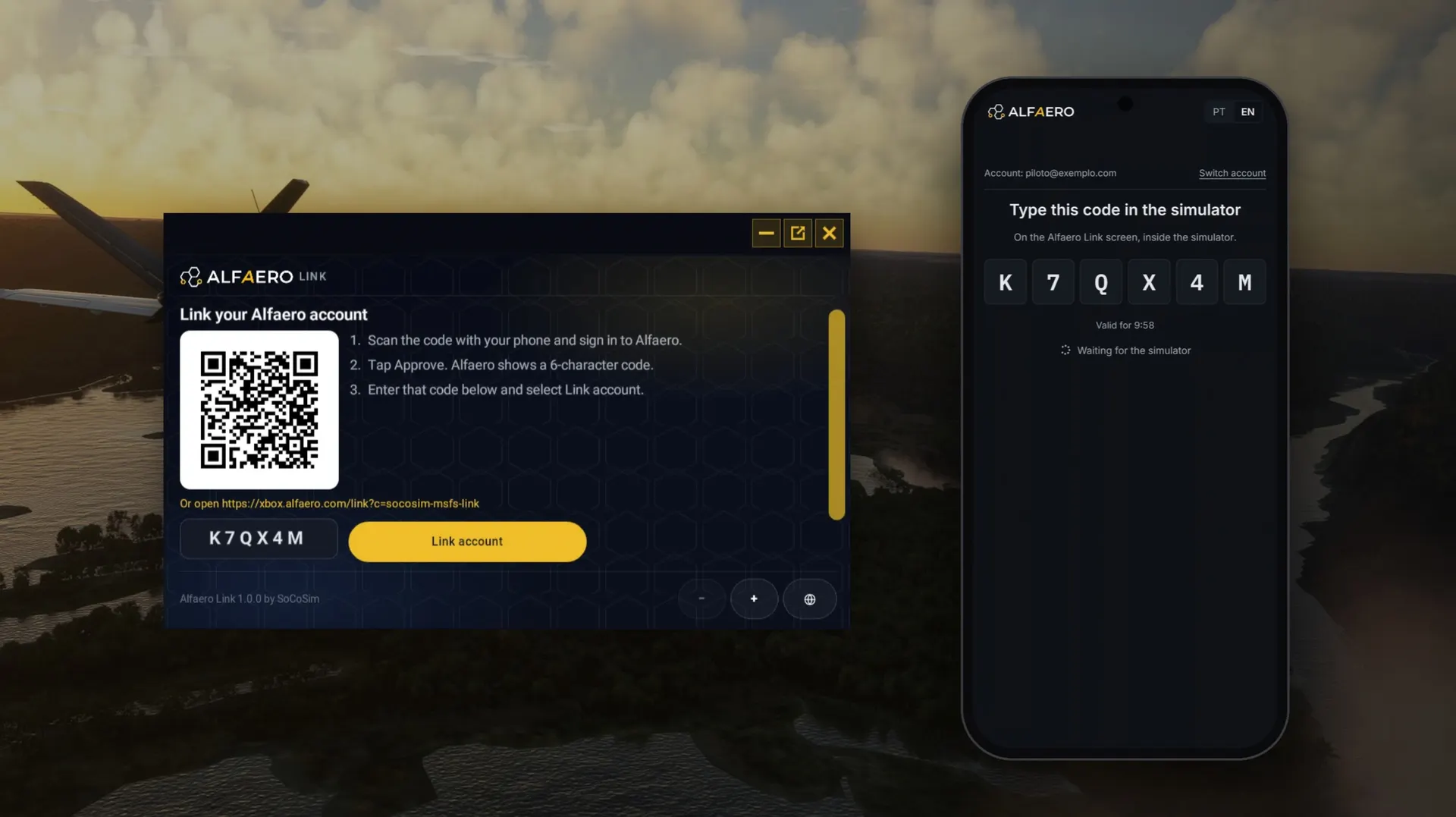
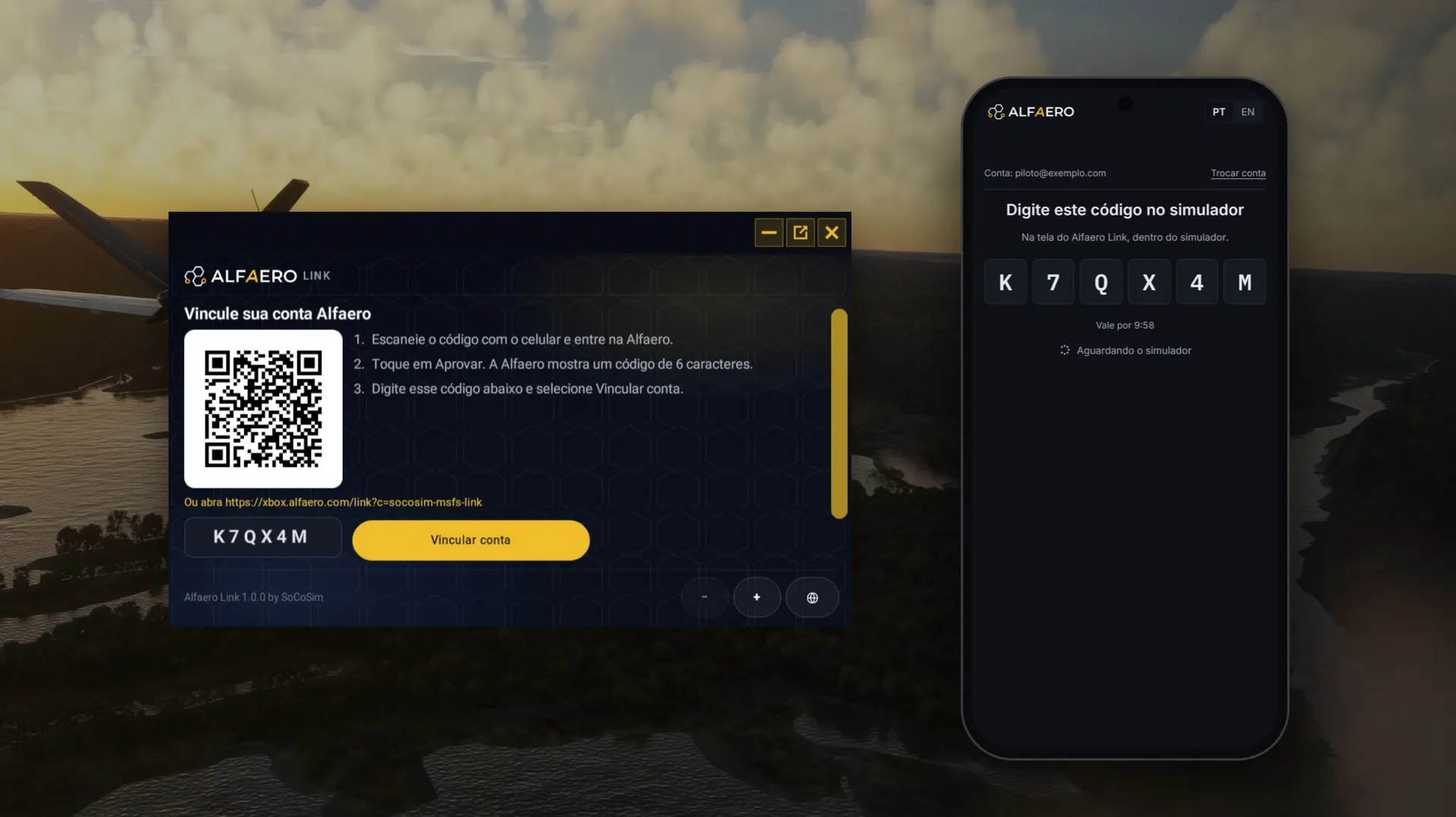
- Scan the QR code with your phone, sign in to Alfaero and tap Approve.
- Type the 6 character code shown on your phone into the panel.
- Open ATC Network in the app, connect with your callsign and fly. You link once. After that, every flight shows up in the app on its own.
ALSO IN THE APP
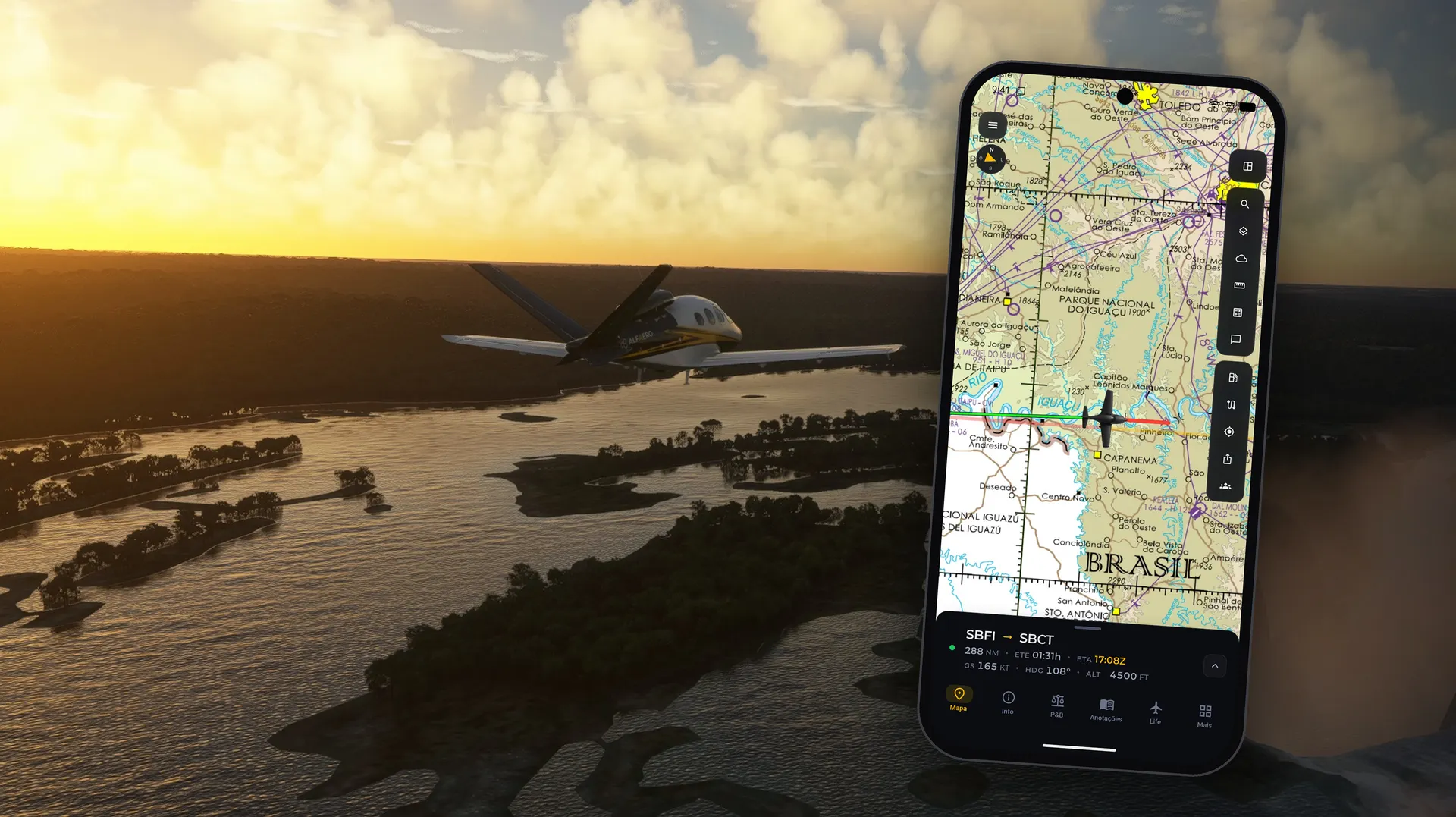
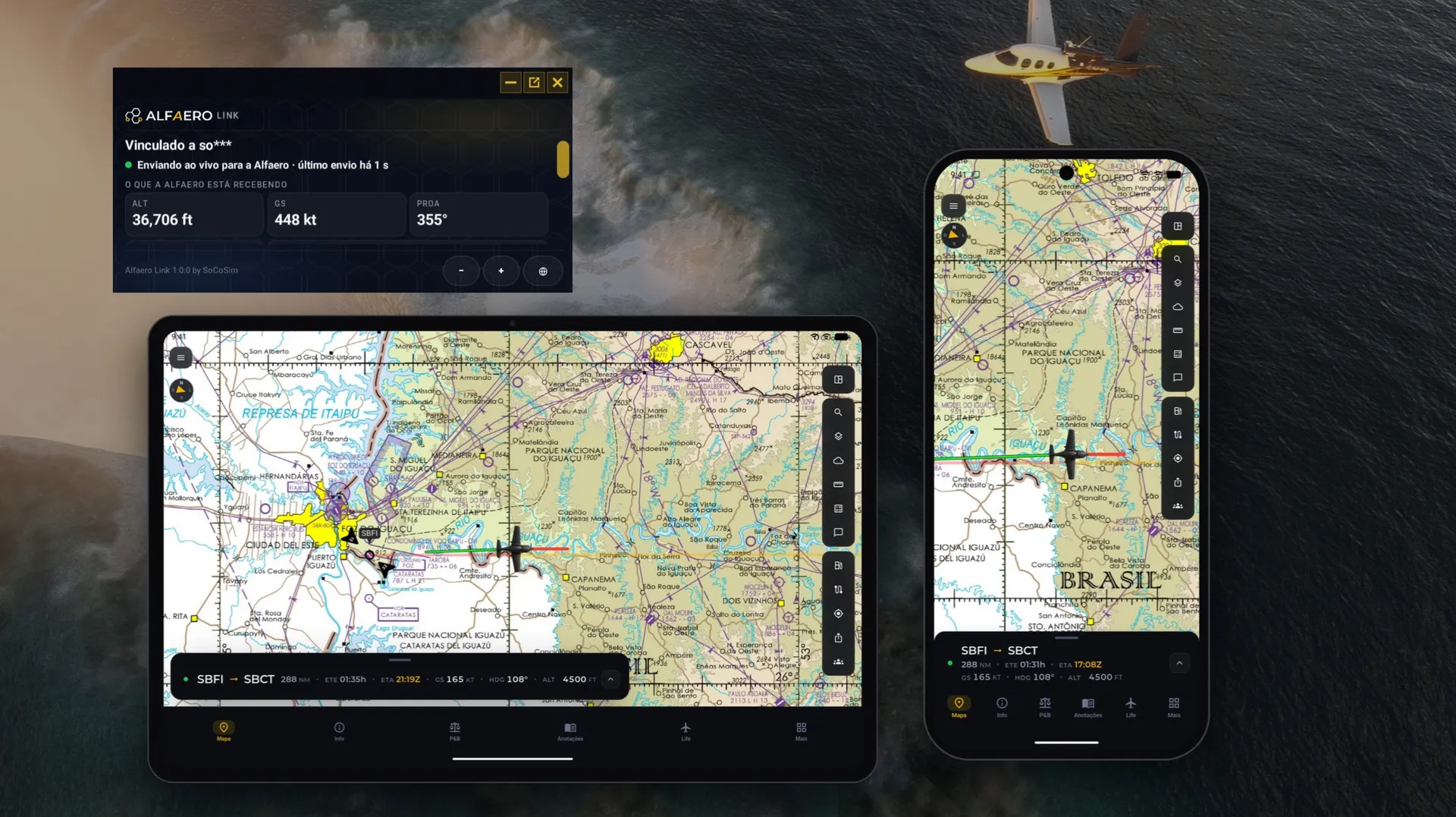
- Your aircraft on the map in real time, with ground speed, altitude, heading, vertical speed, ETE and ETA
- Your route over VFR sectionals and IFR enroute charts for the United States, Brazil, Mexico and Argentina
- Airspace, airports, navaids and weather, plus METAR, TAF, NOTAM, runways and frequencies
- Weight and balance, aircraft profiles and the rest of the Alfaero tools
WHAT THE ADD-ON SENDS AND RECEIVES It sends position, altitude, speeds, attitude, heading, vertical speed, aircraft, fuel and weight, gear, flaps, radio frequencies and transponder about once per second, and receives the traffic around you. Others see your aircraft and callsign, never your name or email. The add-on cannot access your Xbox or Microsoft account, passwords or payment data. Details: alfaero.com/privacy-policy
IN THE SIM
- Small panel on the sim toolbar, on Xbox and PC
- Pause sending at any time and resume when you want
- Unlink from the panel, or in the Alfaero app under Settings, Alfaero Link
COMPATIBILITY
- Microsoft Flight Simulator 2020 and 2024
- Xbox Series X|S and PC
- Alfaero EFB on iPhone, iPad, Android, Windows and the web
REQUIREMENTS
- An Alfaero account. The Alfaero EFB app is free on the App Store, Google Play and the Microsoft Store.
- Live flight is part of Alfaero Premium. New accounts get a free trial; after that a Premium subscription, sold by Alfaero and not through the Marketplace, is required.
- A phone, tablet or computer with the Alfaero app for voice, and a microphone to talk.
- Internet on the sim and on your device.
SUPPORT Linking, app or account: suporte@alfaero.com Add-on: SoCoSim (www.socosim.com) Alfaero is a planning and simulation aid. It does not replace official aeronautical publications or your aircraft flight manual. The Alfaero ATC Network is an independent community network for simulation only.