- USD 9.99
- View more offers at FS Addon Compare
- Added: January 15, 2026
- Updated: October 30, 2026
Xbox users must restart MSFS after installation of Track Log Pro
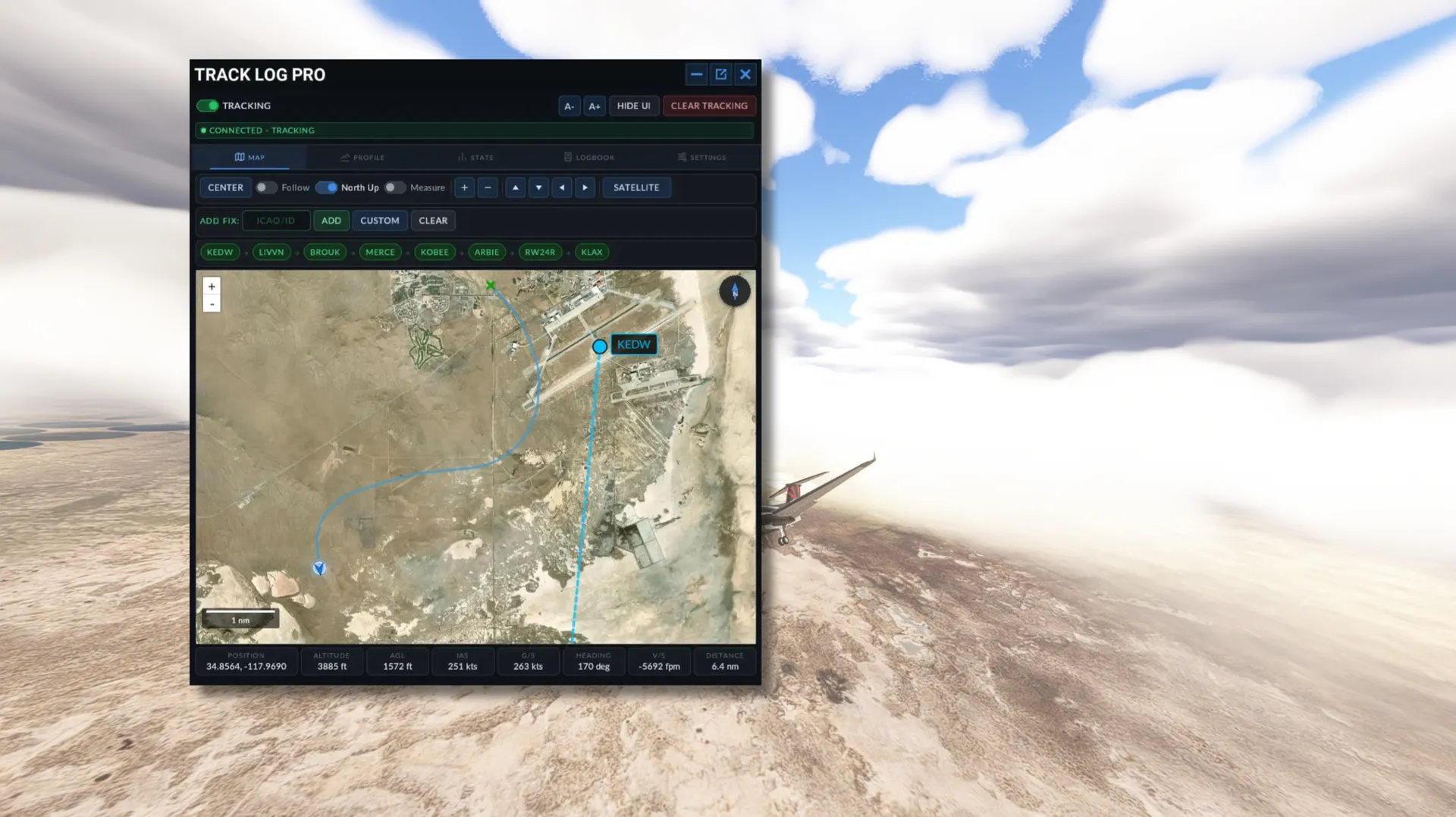
Track Log Pro is a complete flight tracking, replay and logbook system that lives inside Microsoft Flight Simulator. It records every flight in real time, lets you analyze it on a moving map and vertical profile, and keeps your whole flight history backed up to the cloud, all without leaving the sim.
Built by a real-world pilot for simmers and pilots who want accurate records, Track Log Pro runs on PC and Xbox.
WHAT'S NEW:
- Completely redesigned panel with a clean, modern look
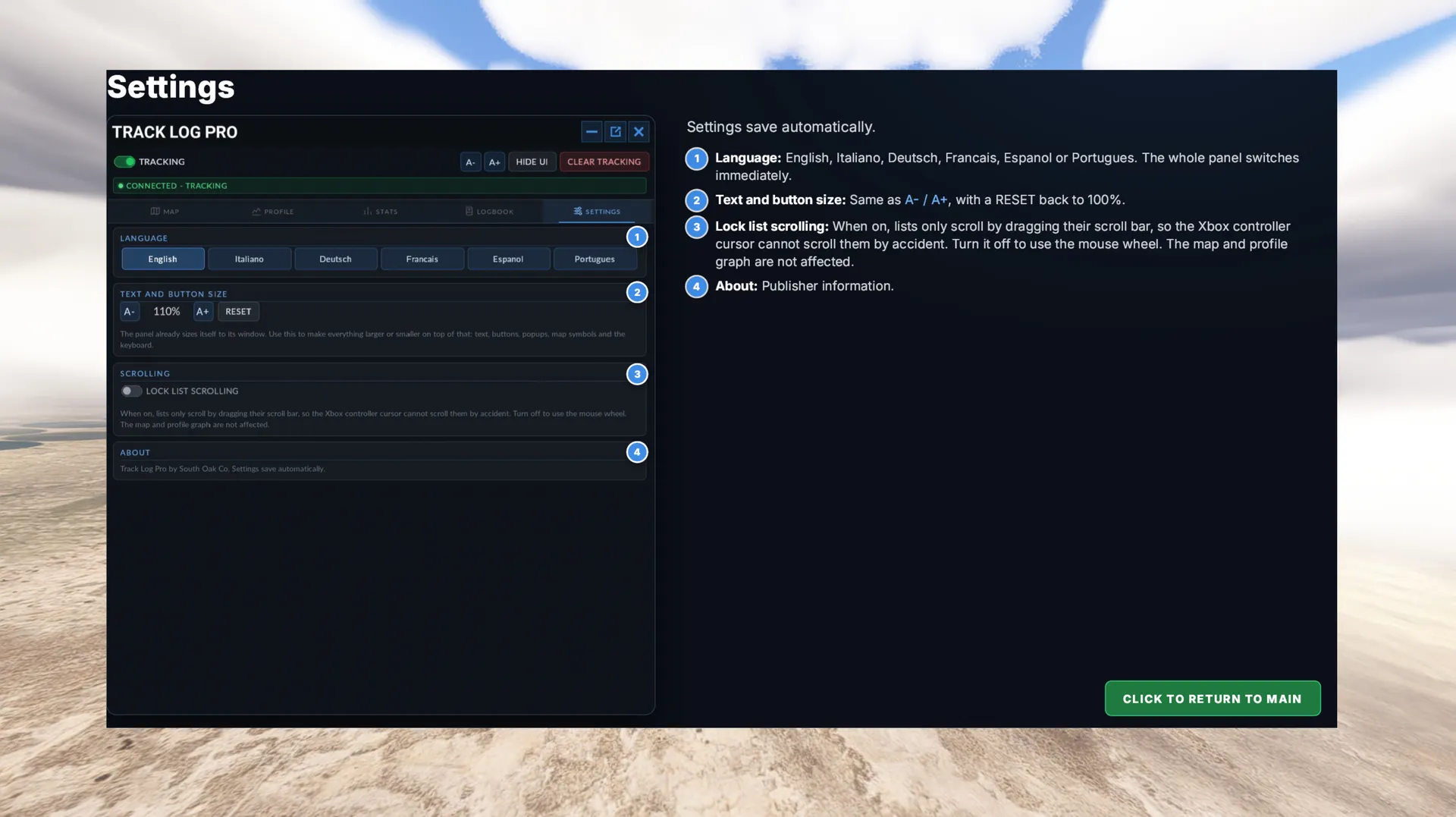
- Fully scalable interface: text, buttons, popups and map symbols size themselves to the panel window, with your own size adjustment on top
- Available in English, Italiano, Deutsch, Français, Español and Português
- Improved controller support, including an optional lock that stops lists scrolling by accident on Xbox
LIVE FLIGHT TRACKING:
- High-frequency tracking with a smooth, accurate flight path
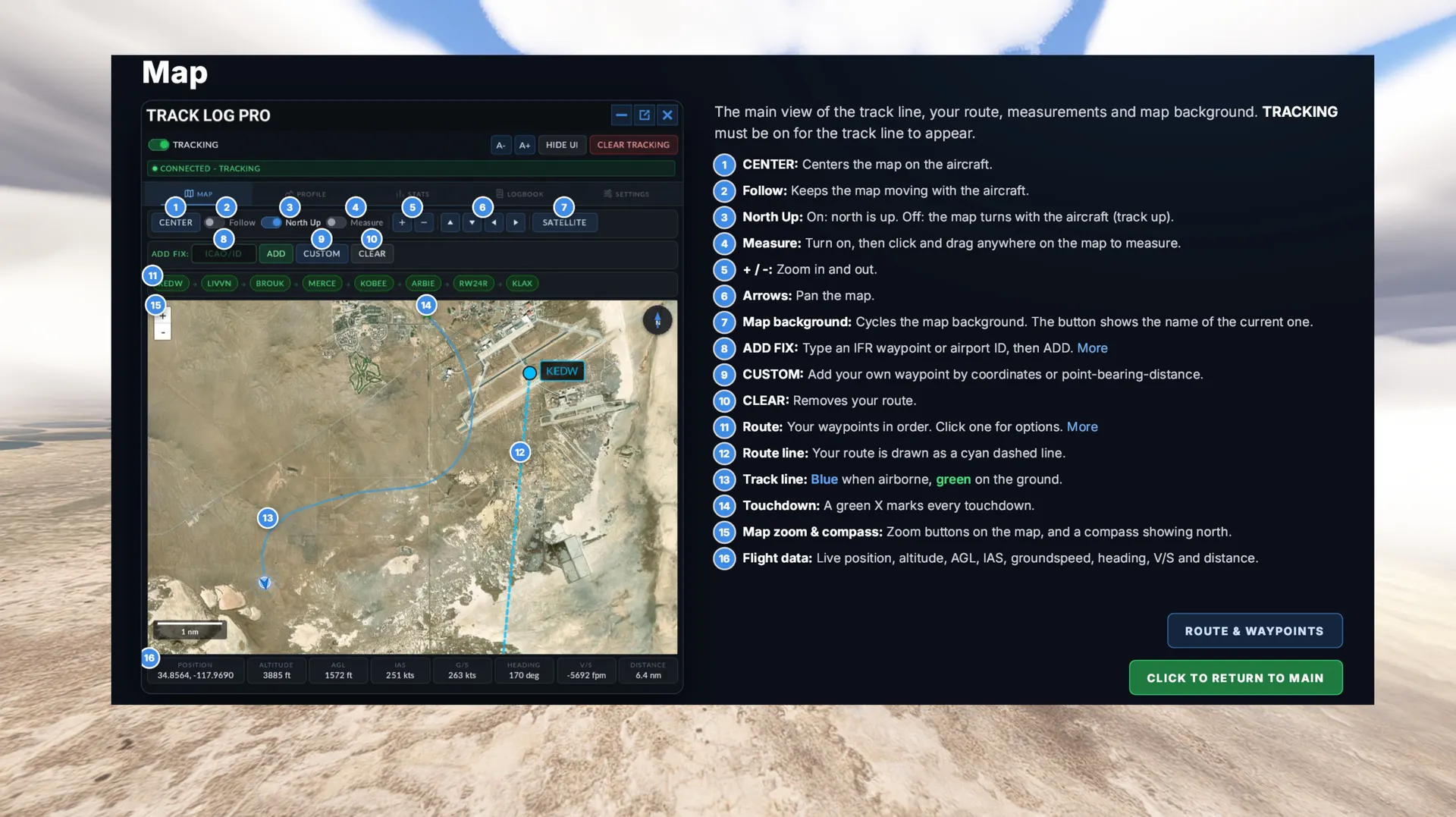
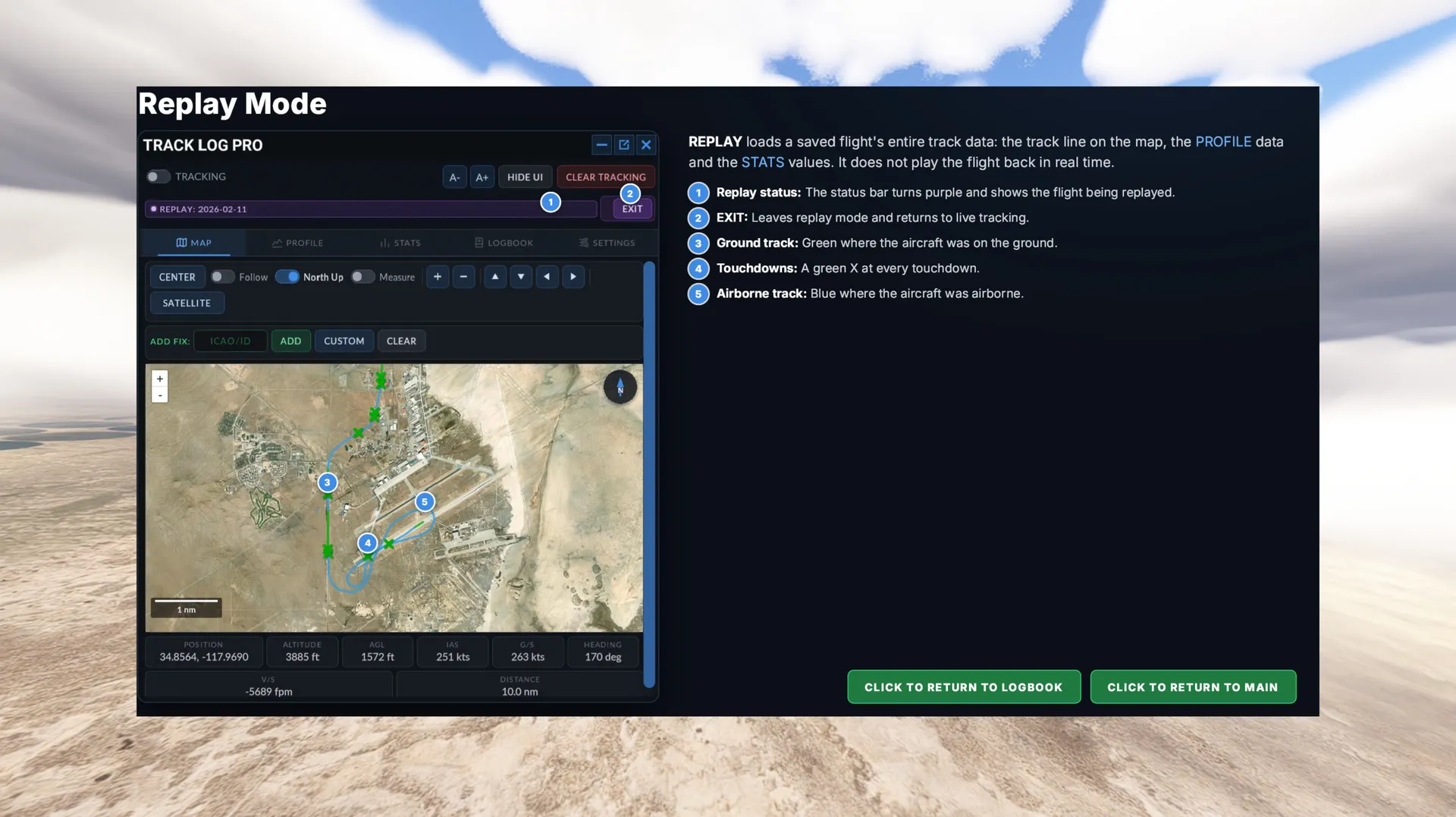
- Track line shows blue in the air, green on the ground, and marks every touchdown
- Tracking continues even when the panel is closed
MOVING MAP AND ROUTE PLANNING:
- Satellite, street and topographic map layers
- Follow, north-up or track-up views
- Distance and bearing measurement tool
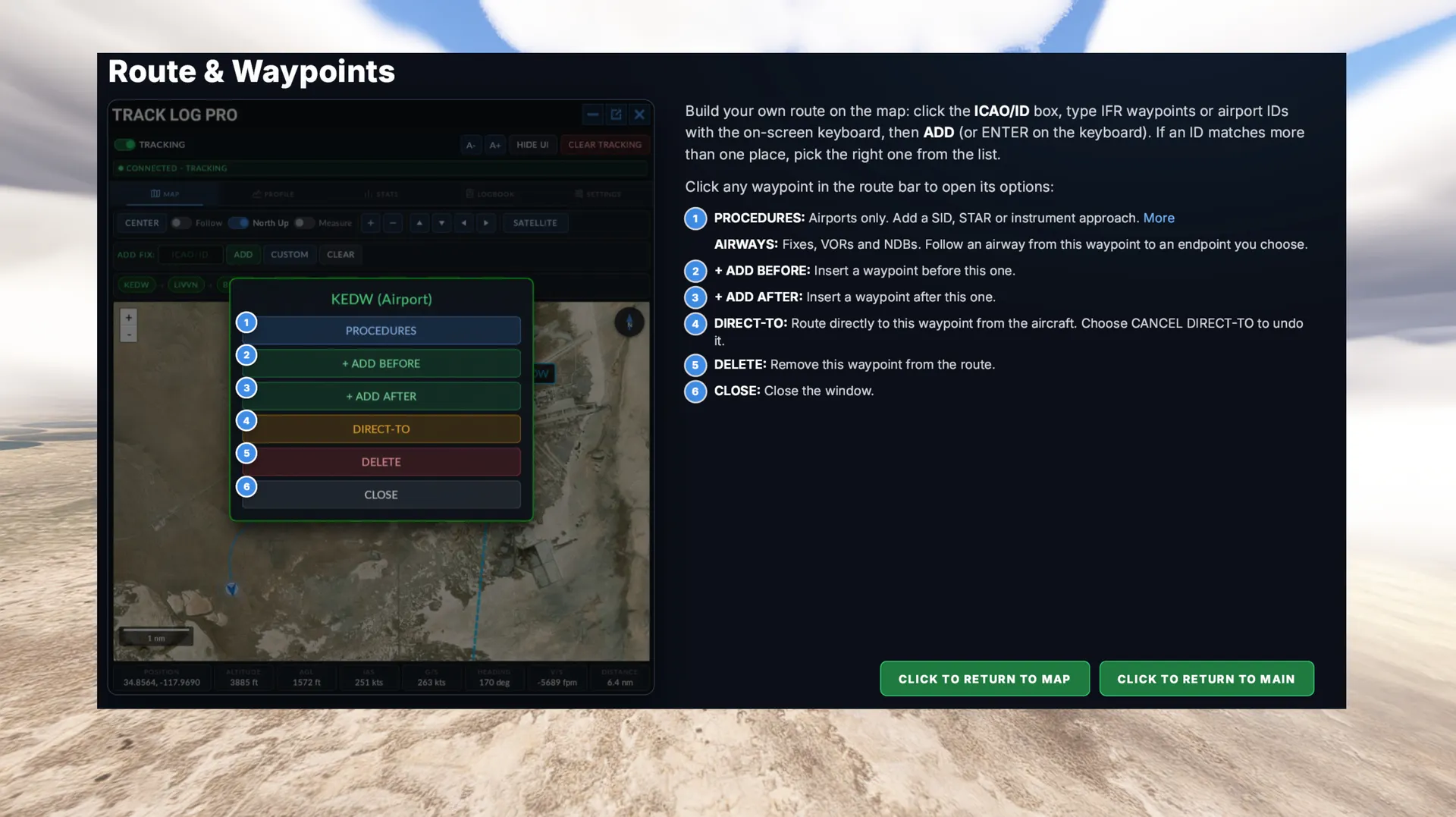
- Build a route from IFR waypoints and airports
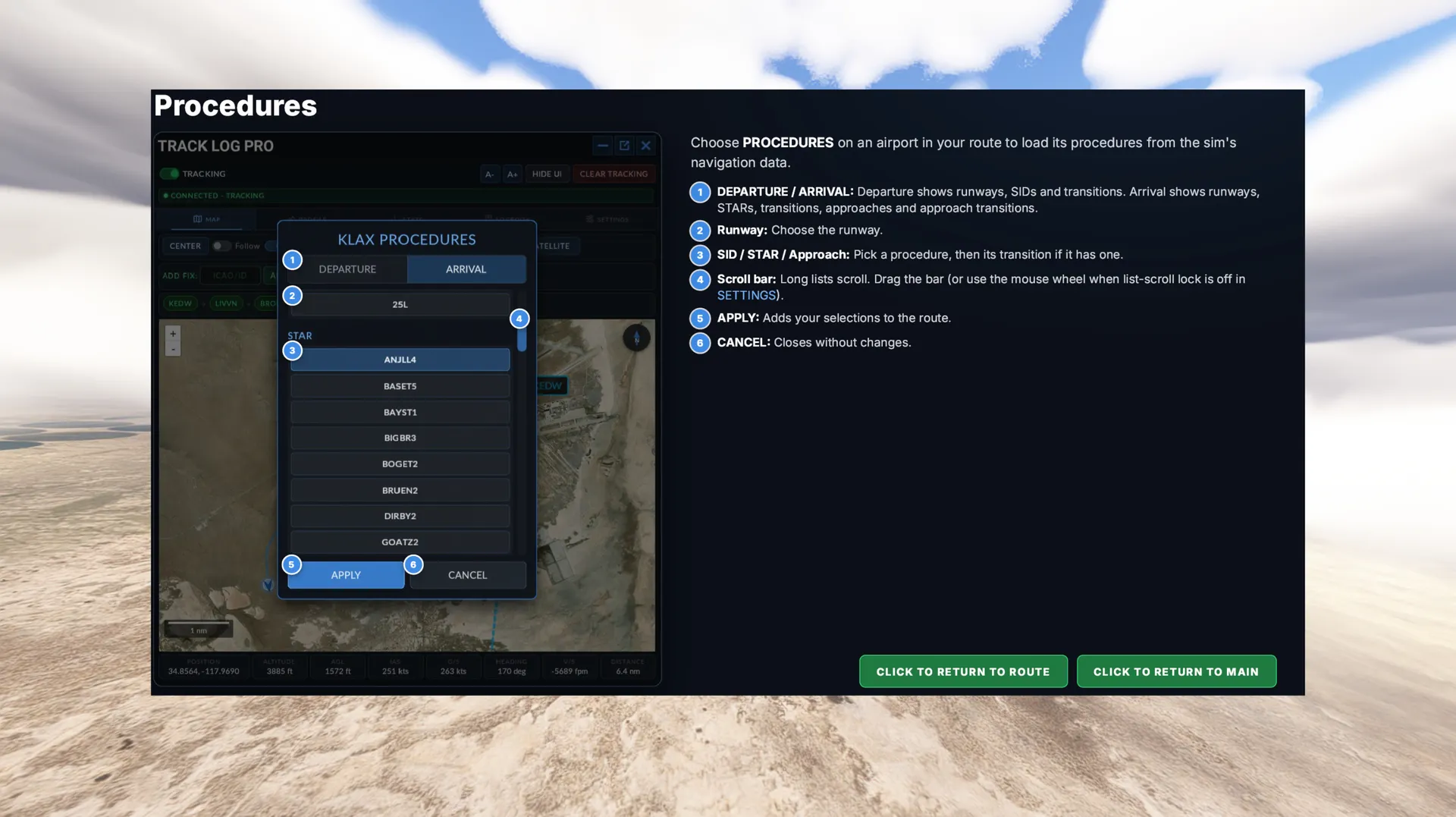
- Add SIDs, STARs, approaches and airways from the sim’s navigation data
- Direct-to, insert before/after, and custom points by coordinates or point-bearing-distance
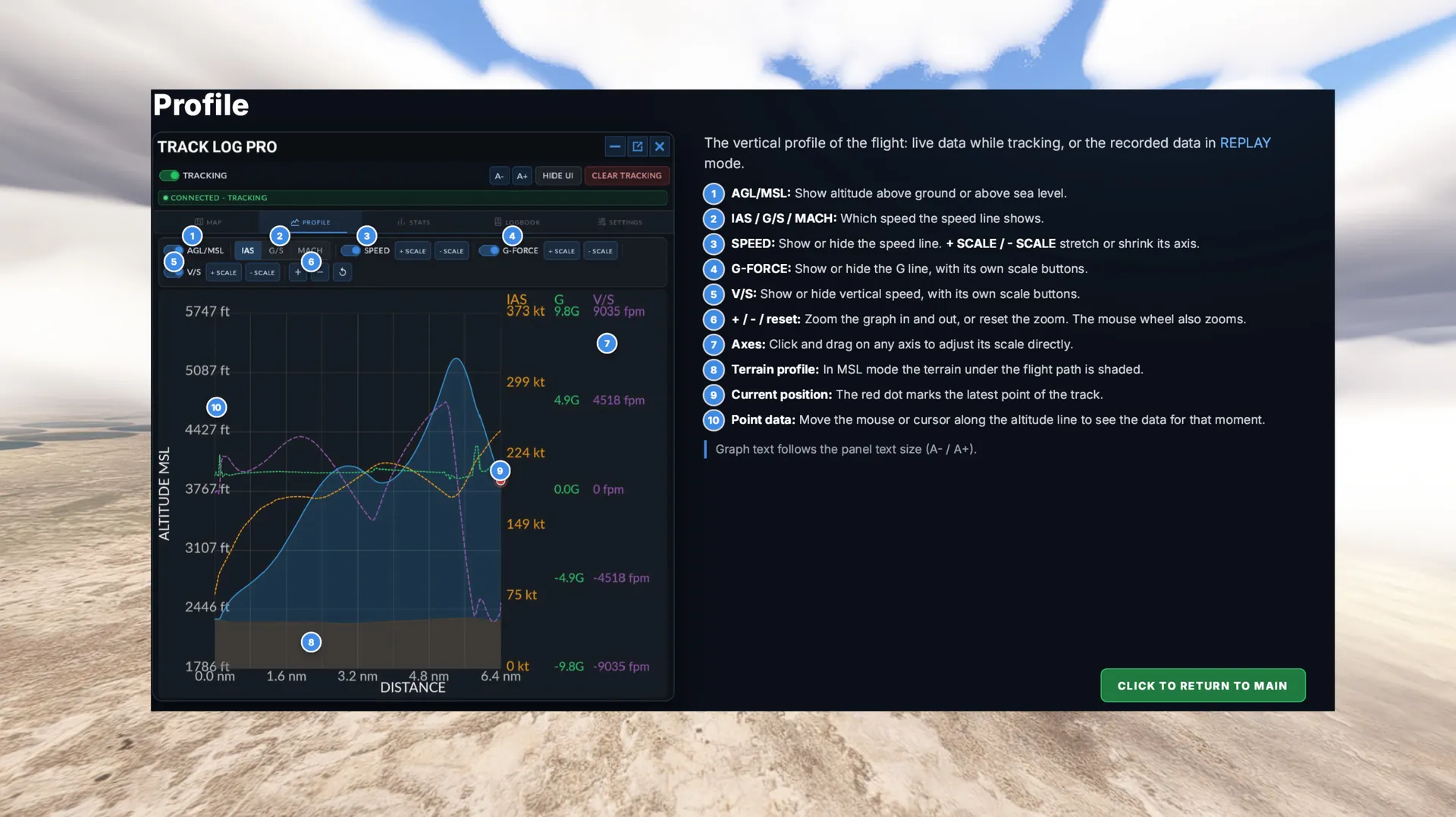
INTERACTIVE FLIGHT PROFILE:
- Altitude vs. distance profile in AGL or MSL, with terrain shown underneath
- Overlay IAS, groundspeed, Mach, vertical speed and G-force
- Adjustable scales, zoom and reset; drag any axis to rescale it
- Hover anywhere on the profile to see the exact data for that moment
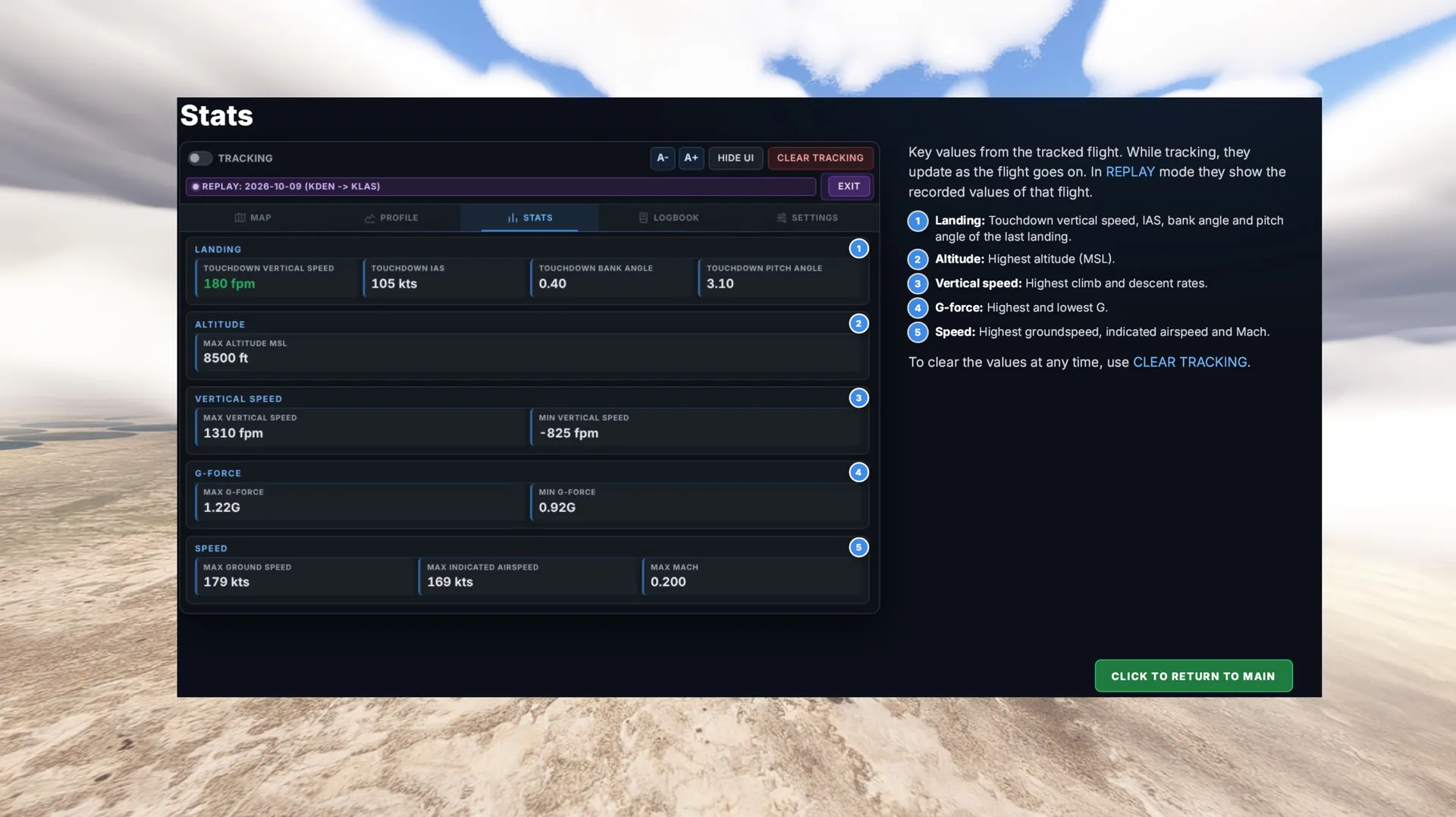
DETAILED FLIGHT STATISTICS:
- Touchdown vertical speed, IAS, pitch and bank angle
- Maximum altitude, maximum and minimum vertical speed, G-force extremes
- Maximum groundspeed, IAS and Mach
FLIGHT REPLAY:
- Replay any saved flight in the sim: the full track on the map, the profile and the stats
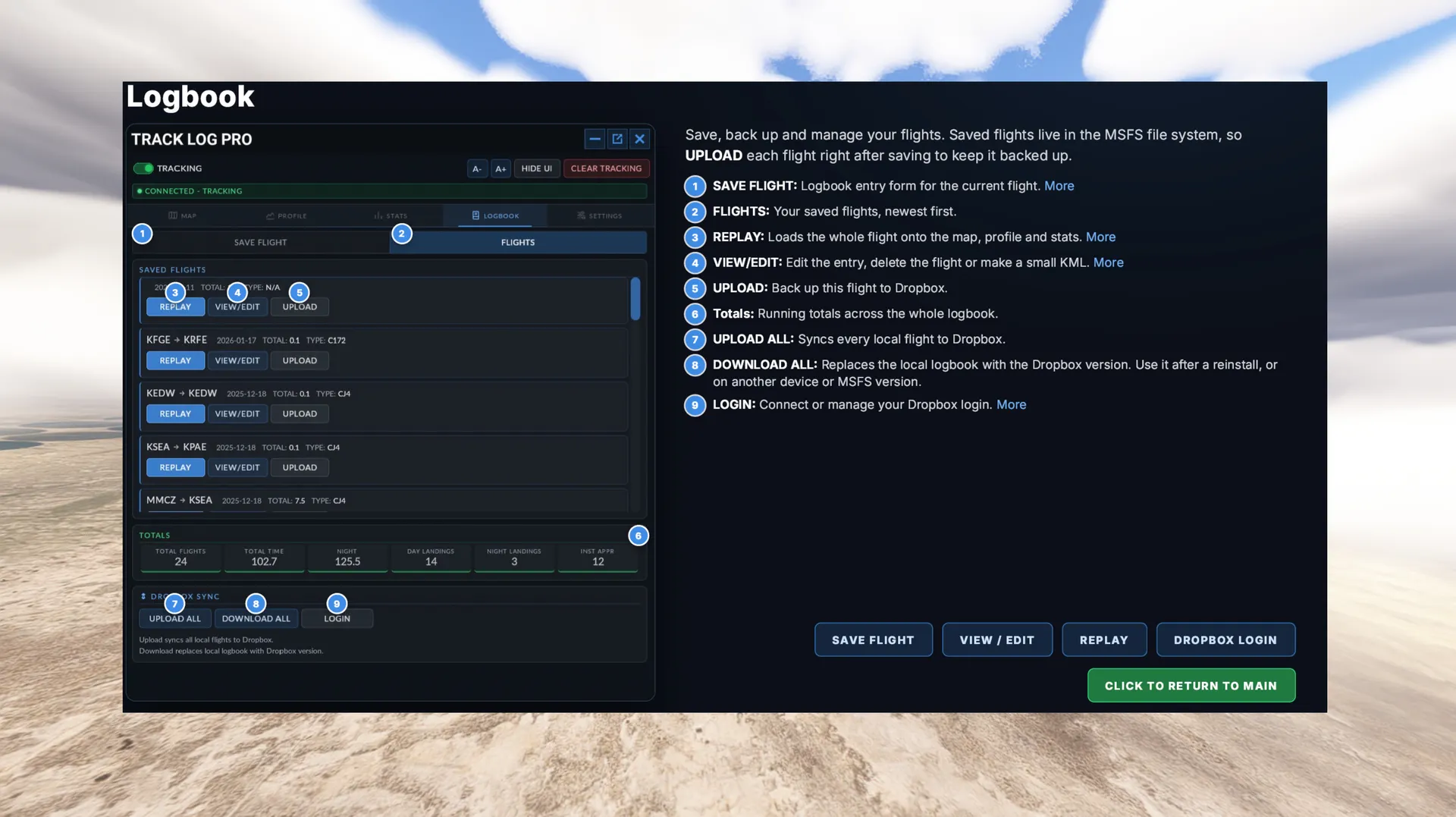
PROFESSIONAL LOGBOOK:
- Automatic flight detection and time calculation
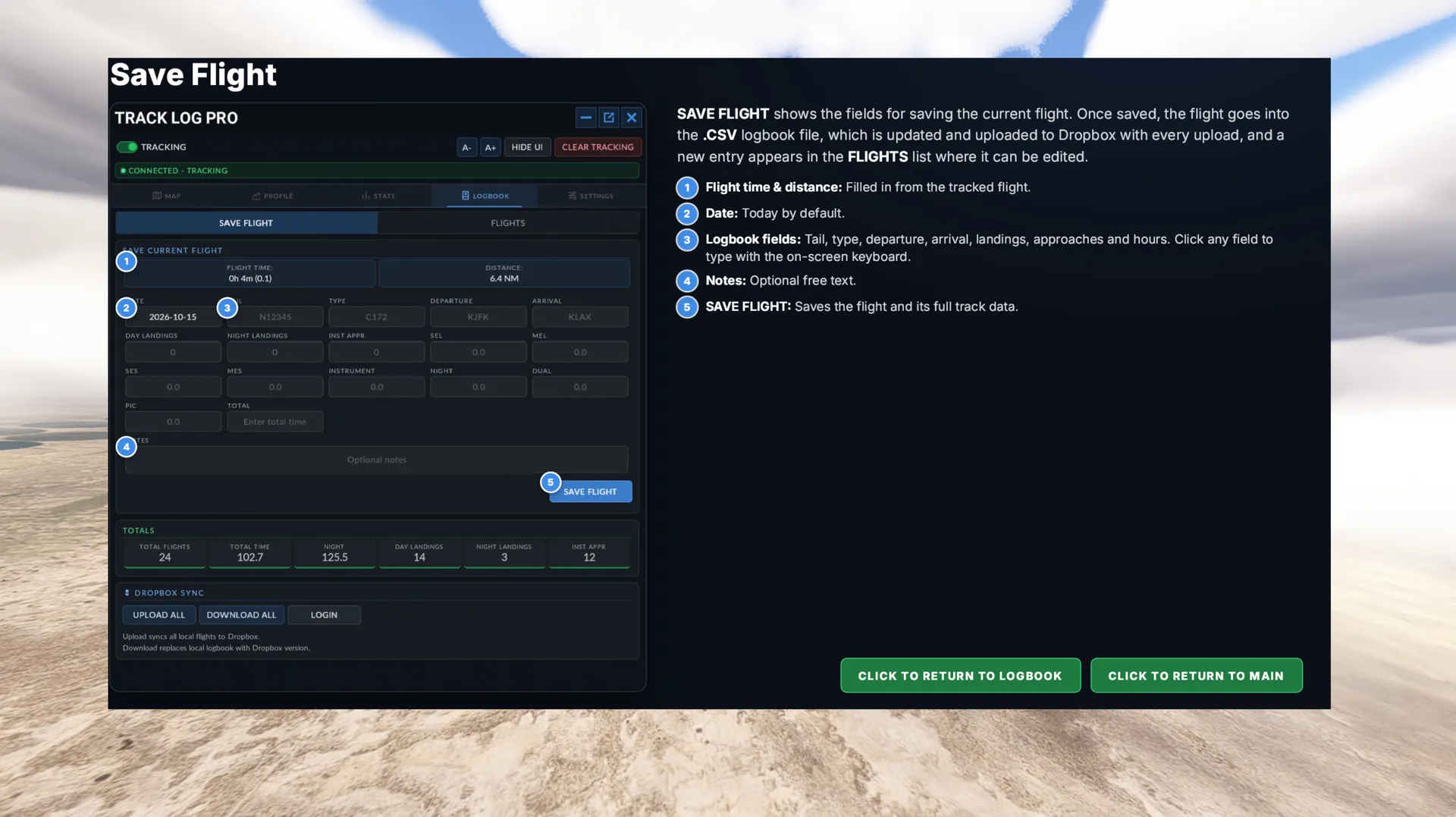
- Aircraft type, tail number and route
- Day and night landings, instrument approaches
- PIC, dual, night and instrument time
- SEL, MEL, SES and MES time
- Automatic running totals
- Save, edit, replay or upload each flight individually
EXPORTS AND CLOUD SYNC:
- Every flight saved as a KML file for Google Earth, with full 3D altitude
- Create a smaller KML for long flights with one click
- Logbook saved as a CSV file with standard aviation columns (opens in Excel)
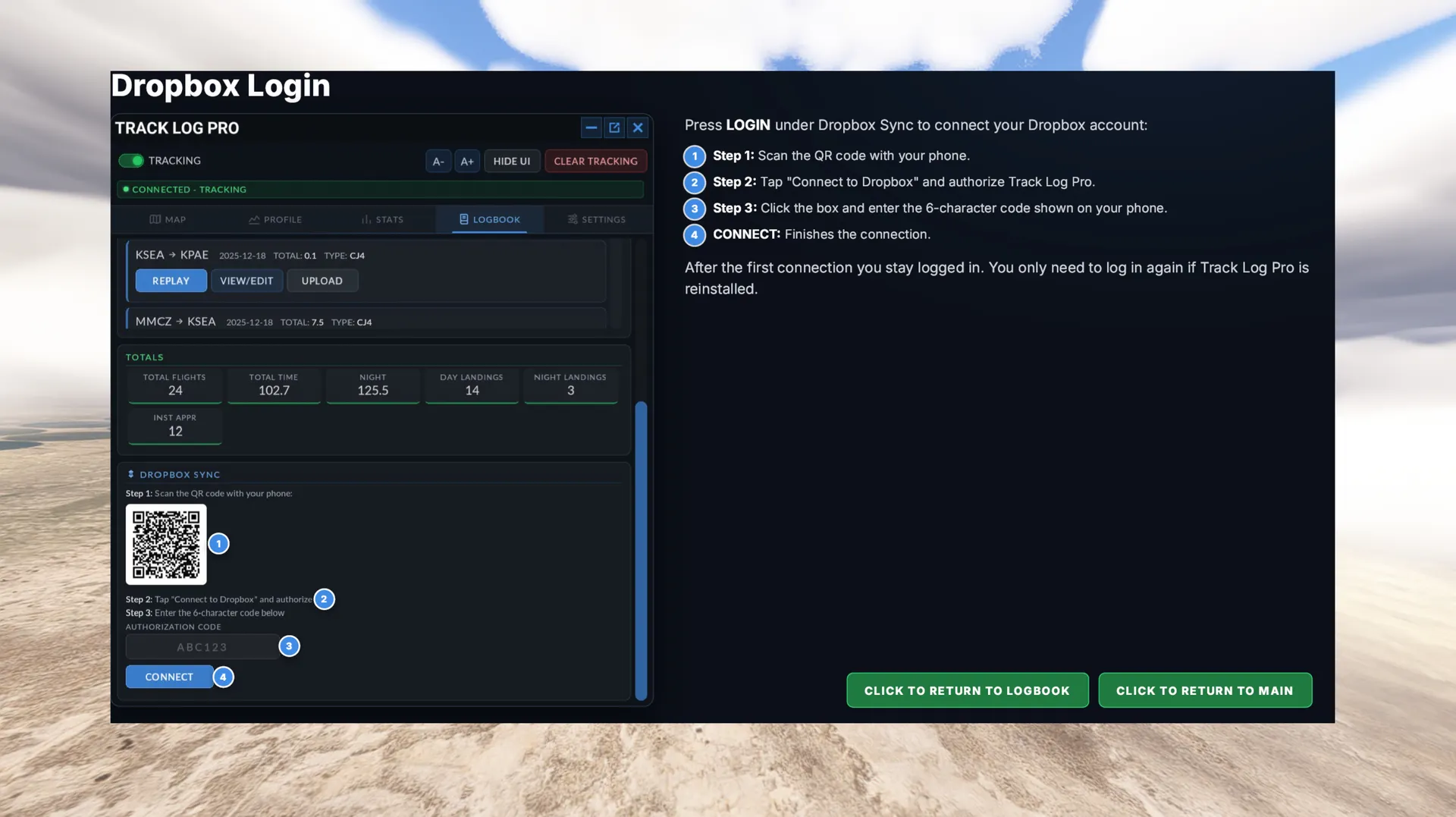
- Dropbox backup and restore, connected from your phone with a QR code
- Upload all flights or restore your full logbook in one click, even on a new install or another platform